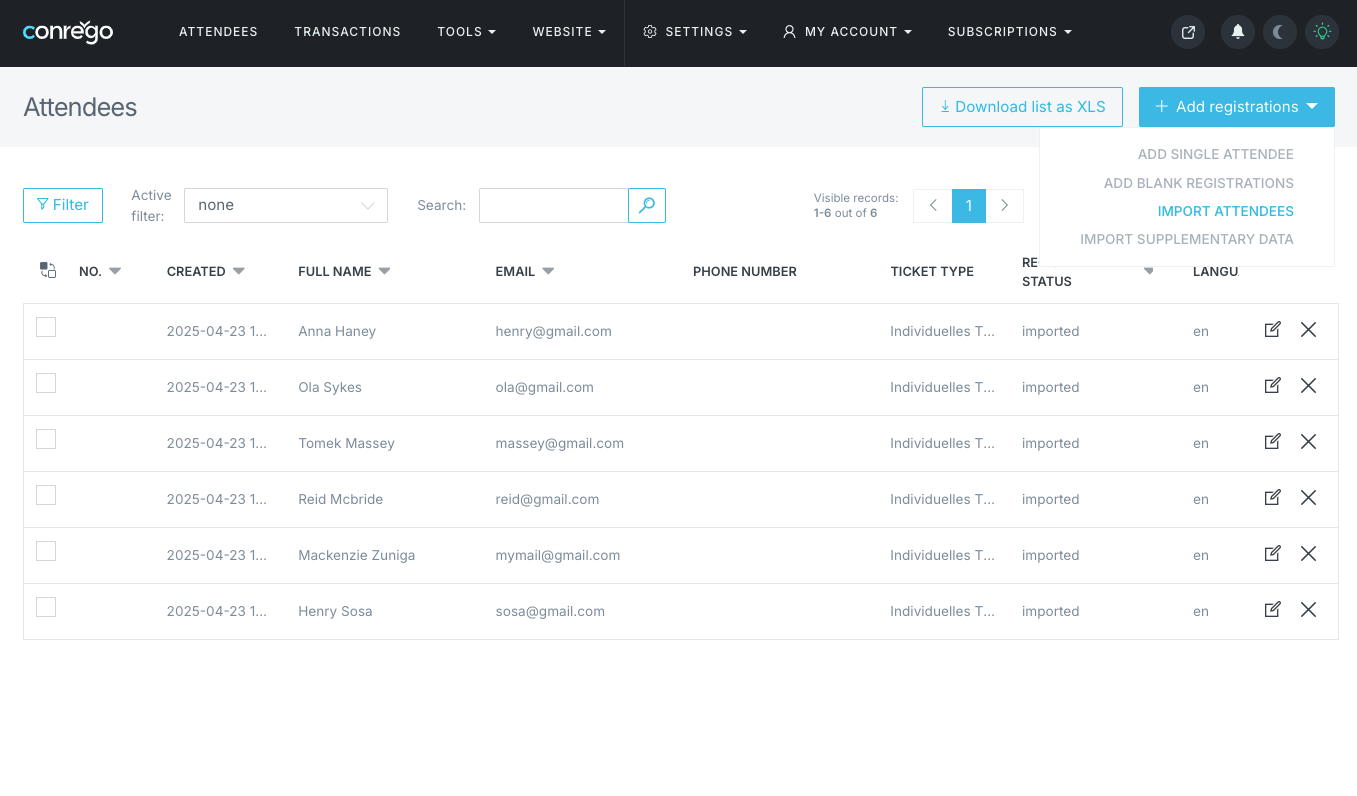
How to import a guest list?
Go to Attendees and use the visible button on the right, labeled + Add Registrations. From the menu, select Import Attendees. Before you begin the import, ensure that your XLS file is prepared according to the template.
Once you drag the prepared data import file into the import window, a table will appear. In this table, you'll be able to assign columns from the XLS file to selected fields of the registration form, choose the ticket type, and the registration language that will be assigned to the imported records.
Importing phone numbers
When importing participants, phone numbers should be provided in a numeric format only.
- Use digits only, without spaces or special characters.
- Always include the country code (e.g. 447911123456).
Important:
Do not use the + sign or the 00 prefix.
Incorrect formats: +447911123456, 00447911123456